Chapter 11
Live feeds
A live feed shares what your receiver hears over the internet, so someone else, a crew member, a client or an office, can watch the same traffic in the app or on pilotADSB.com.
11.1Watch a live feed
Needs internet
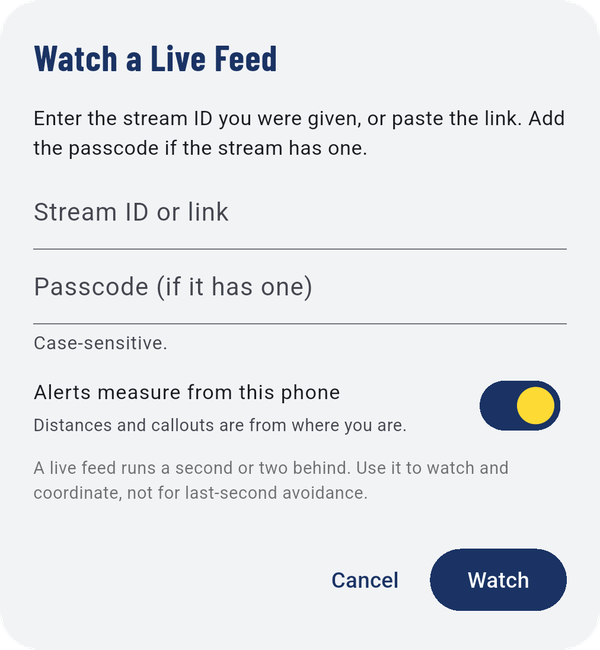
- Enter the stream ID you were given, or paste the link.
- Add the passcode, if the stream has one. It's case-sensitive.
- Choose Alerts measure from this phone to have distances and callouts worked out from where you are.
- Tap Watch.
Caution
A live feed runs a second or two behind. Use it to watch and coordinate, not for last-second avoidance.
To stop watching, choose another source in Select Data Source.
11.2Start a live feed
Needs internet
My Live Feeds lists the feeds you're running. With none running, it explains: start one, share its code, and anyone with the code can watch in the app or on pilotADSB.com.
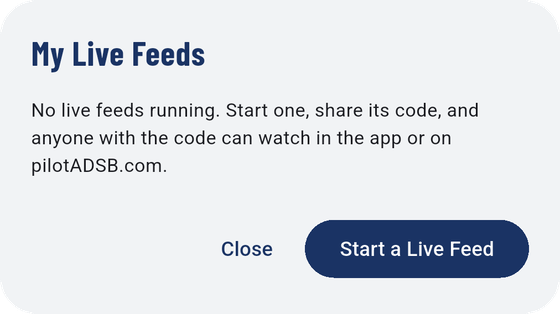
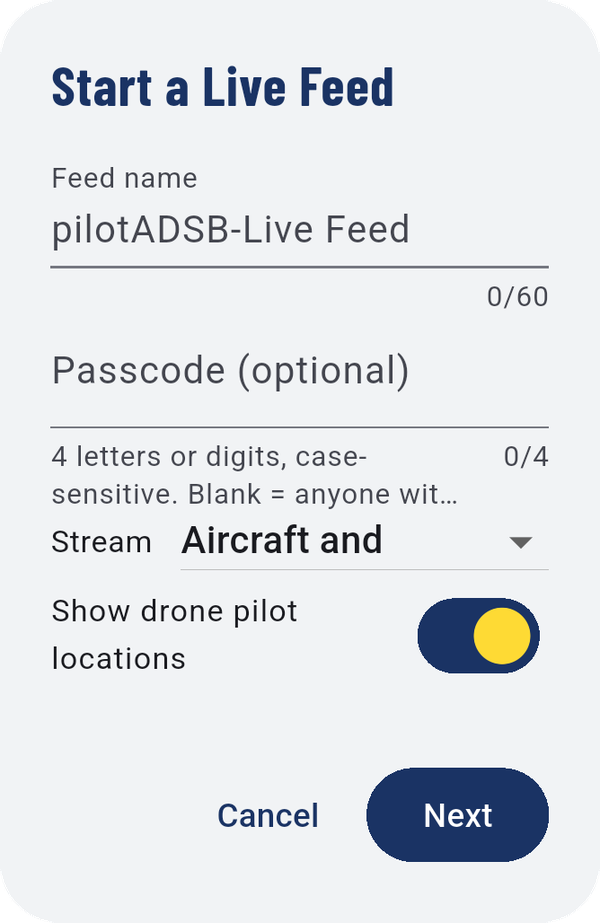
- Tap Start a Live Feed.
- Name the feed.
- Optionally set a passcode: 4 letters or digits, case-sensitive. Leave it blank and anyone with the link can watch.
- Choose what to Stream: Aircraft and drones, aircraft only, or drones only.
- Choose whether to Show drone pilot locations.
- Tap Next, and choose how long the feed runs.
Share the feed's link or stream ID, and the passcode if you set one, with the people who should watch.